Electrician Website Design: What Florida Homeowners Check
Electrician website design for Florida shops: how to explain panel upgrades and EV chargers in plain words, show your EC license, and get better quote requests.
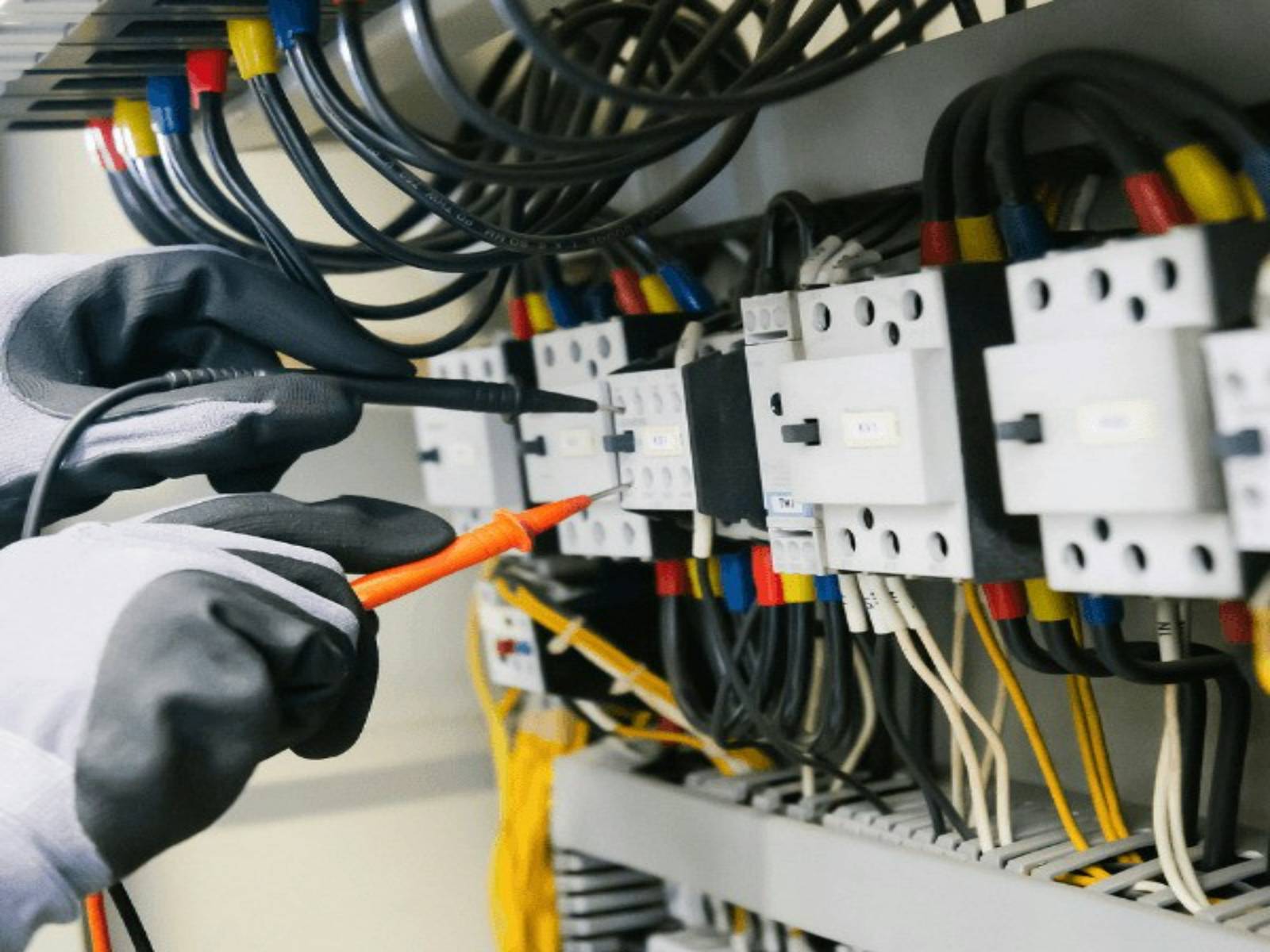
Short answer: Good electrician website design makes invisible work easy to understand. Most homeowners can’t see what’s behind the panel, so they judge you by how clearly you explain the job, whether your license is easy to check, and how simple it is to ask for a quote. Plain service pages, a visible license number and a smart quote form do most of the work.
If you run an electrical shop in Central Florida, you’re probably too busy pulling wire to write web pages. That’s the whole idea behind febuslabs: you send a message, and we handle the design, the words and every change after launch. This guide shows what the site should say, so you know what to ask for.
What makes electrician website design different?
Electrician website design is different because customers can’t judge the work with their own eyes. A homeowner can see a new roof or a clean lawn. They can’t see a properly sized breaker or a safe connection. So your site has to earn trust with clear explanations, proof of licensing and an easy next step.
There’s also a fear factor. People hiring an electrician are often worried about safety, cost or failing an inspection. A site full of jargon makes that worse. A site that says “here’s what we’ll check, here’s how quotes work, here’s our license” calms people down, and calm people book.
The other difference is range. One shop might do service calls, panel work, lighting, generators and small commercial jobs. Each of those customers searches differently, and a single “Services” page with a long bullet list can’t answer all of them.
What pages should an electrical contractor website have?
An electrical contractor website should have a home page, one page for each main service, a service area section, an about page with your license, and a quote request page. If you do both residential and commercial work, give each its own path so a homeowner and a property manager each land on the right page.
Here’s a page list that fits most small shops:
- Home. What you do, where you work, a call button and a quote button.
- Electrical repairs and troubleshooting. Breakers that trip, outlets that don’t work, flickering lights.
- Panel upgrades. Who usually needs one and what the visit looks like.
- Lighting. Recessed lights, fans, outdoor and yard lighting.
- Generators and surge protection. Only if you install them.
- EV charger installation. Only if you do it.
- Commercial work. Tenant build-outs, maintenance or new construction, if you take those jobs.
- About and license. Your story and your state license number.
- Quote request. A short form that asks the right questions.
That’s nine pages, well inside the 15 pages a febuslabs site includes. You can see how we lay out this trade on our page about websites for electricians.
How do you explain electrical services in plain words?
Explain each electrical service in one or two plain sentences that answer what it is, who needs it and what happens during the visit. Skip code numbers and part names. A homeowner should finish the paragraph thinking, “That’s my problem, and these people can fix it.”
Some electrician website ideas for common services:
- Panel upgrade. “If your breakers trip when the AC and dryer run together, or you’re adding a big appliance, your panel may be too small. We check what you have and tell you whether an upgrade makes sense.”
- EV charger. “We look at your panel and the spot where you park, then install a charger that fits the power you have.”
- Whole-home surge protection. “A surge protector at the panel helps protect the electronics in your whole house, not just what’s plugged into a power strip.”
- Generator hookup. “We install the connection so a generator can safely power the circuits you choose during an outage.”
Write it the way you’d say it in a driveway. If you send us your own notes, even rough ones, we turn them into page copy. Copywriting is included, and you review and approve everything before it goes live.
Should you show your Florida electrical license?
Yes. Florida electrical contractors are licensed through the state’s Electrical Contractors’ Licensing Board, and anyone can look up a license on MyFloridaLicense.com. Showing your number on the site saves a careful customer a step and shows you have nothing to hide.
The board’s own site explains the two main types. A certified electrical contractor holds an EC license. A registered electrical contractor holds an ER license, has met local competency requirements, and can contract only in the cities or counties where that registration is issued. You don’t have to explain the difference on your site. Just list your license type and number in the footer or on the about page, and make sure the business name matches what the state has on file.
If you also install alarm systems, keep in mind those are separate license categories. Only list the work your license covers.
How should customers book an electrician online?
Customers should be able to book an electrician online with one tap to call or a short quote form that takes under a minute. The best forms ask for the town, the type of job and a good way to reach the customer. Then invite a photo, because a picture of a panel or a burned outlet tells you more than a paragraph ever could.
A few details that make a big difference:
- Invite a photo. A line like “If you can, email us a picture of your panel” gets you better information before you roll a truck.
- Ask residential or commercial. One question sorts your leads.
- Say what happens next. “We’ll reply to set a time” removes the guessing.
- Be honest about hours. If you don’t run emergency calls at night, don’t say “24/7.”
If you already use a scheduling or field service tool, we can connect it. Our policy is plain: we connect tools you already use, like Jobber, Calendly or Square, if you give us the way to connect (embed code or invite). We never ask for passwords.
Electrician website template or done-for-you?
An electrician website template is cheaper up front, but you write every page, set up every form and make every change yourself. A done-for-you site means someone else handles the design, the writing and the updates, and you spend your time on jobs. The right choice depends on how much time you really have.
Ask yourself a few honest questions. When you start offering EV chargers, will you write that page yourself that week? When a form breaks, will you notice? Templates are fine for owners who enjoy that kind of work. For everyone else, sites built on templates tend to go stale.
With febuslabs, you don’t log in and edit anything. You get a portal login to see results and request changes, and edits are unlimited, with no monthly limit, for anything ethical that doesn’t need a database. We aim for same-day edits, by the end of the business day we get the request. That’s a target, not a guarantee. If you want a side-by-side look at a builder, read Is Wix Good for Small Business?
What does electrician website design cost?
Electrician website design cost depends on how the work is billed: a one-time build fee plus separate hosting and change fees, or one monthly fee that covers everything. Compare what you’d pay over a full year, including who writes the pages and what each change costs after launch.
The things that move the price are the number of pages, features like online booking or payments, copywriting, and how edits are billed. We broke down the billing models in Do You Have to Pay Monthly for a Website? and covered upkeep in our guide to website maintenance cost.
Here’s ours, for comparison: febuslabs is $150 a month with no setup fee and no contract minimum, and you can cancel anytime. That covers design, building, hosting and copywriting for up to 15 pages, plus a Spanish version that doesn’t count toward the 15. We start the moment you pay. Your site is done in 3 days max and live within 1 week max. Nobody can honestly promise rankings or a set number of calls, and we don’t.
Frequently asked questions
Can I add a new service page later?
Yes. If you start doing EV chargers or generators next year, send a message and we add the page, as long as you stay within the 15 pages.
Do I need my own photos?
They help, because customers like to see your real crew and real work. If you don’t have any yet, we use licensed stock or AI images until you send yours.
Do I need a page for every city?
Usually not. A clear service area section works for most shops. A city page only helps when it has real, unique content, not the same page with a new town name.
Can I talk to someone first?
Everything runs by email, and there’s no phone support. If you’d like to speak with a person, we can book a call with Tito.
Sources
Checked November 3, 2026.
- Florida DBPR, Electrical Contractors: license types, including certified (EC) and registered (ER) electrical contractors and alarm system categories.
- Florida DBPR, MyFloridaLicense.com: public license lookup by name or license number.
See your electrician site first
You shouldn’t have to learn web design to get quote requests. febuslabs will build a free personalized preview with your company name, services and service area, so you can see it before you decide. If you like it, we finish it and run it, and you just send a message whenever something changes. You can also compare our websites for HVAC companies and plumbers, or read our HVAC website design guide.
Photo by Toolmash Expo on Unsplash.